

Bibles and translations
Built-in translations
Section titled “Built-in translations”Guidepost includes two public-domain translations:
- King James Version (KJV), the default.
- World English Bible (WEB).
Both are available offline, with full-text search in the Scripture picker.
Add a translation
Section titled “Add a translation”You can add other translations you’re licensed to use, from a file in one of these formats:
- USFX (
.xmlor.usfx) - OSIS (
.xmlor.osis) - Zefania XML (
.xml)
-
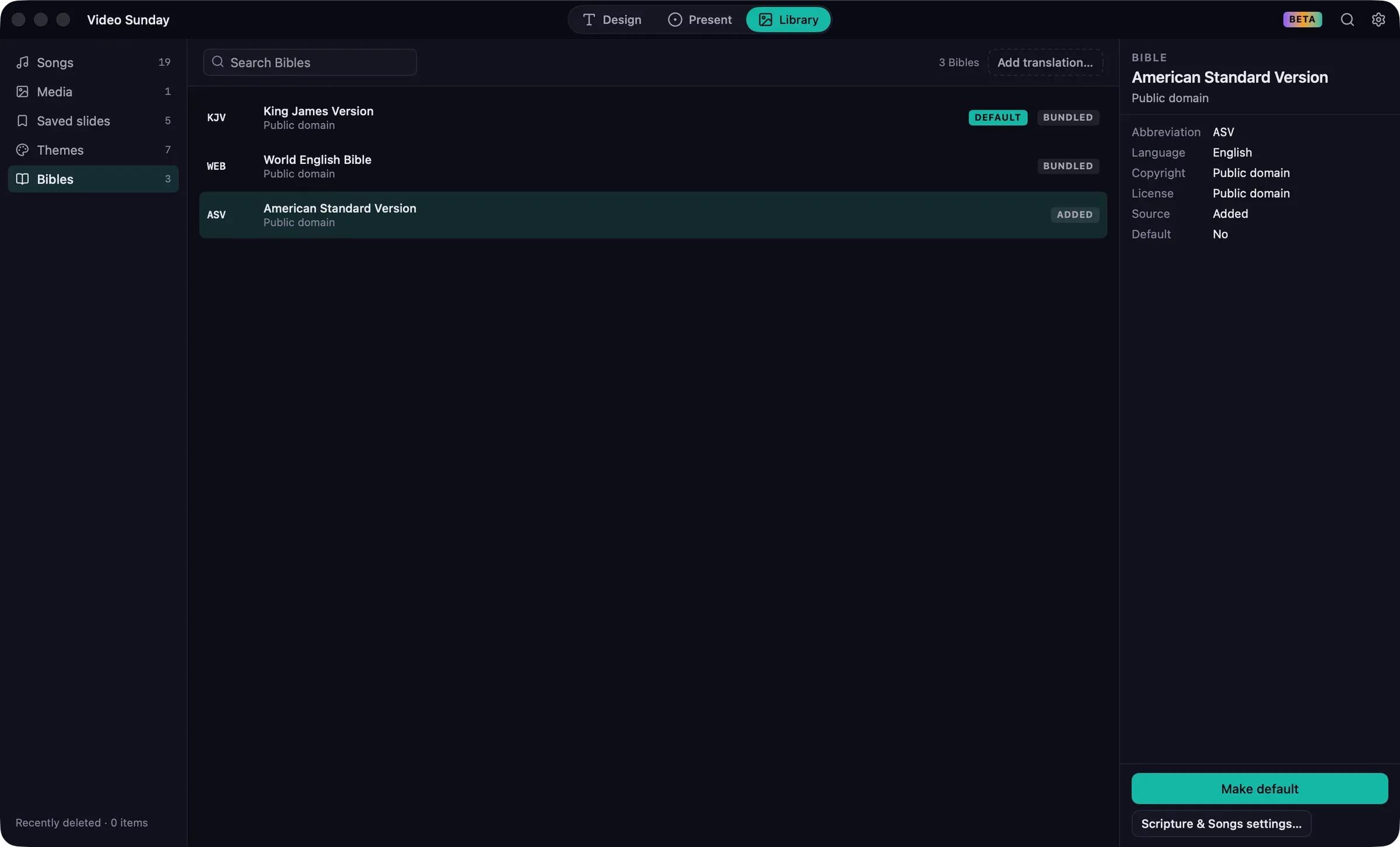
In Library › Bibles, or Settings › Scripture & Songs › Bibles, click Add translation….
-
Choose the file and click Add.
-
Check the details Guidepost read from the file: Abbreviation, Language, Name and Copyright notice. Fill in anything that’s missing.
-
If the translation’s copyright requires its notice to be shown with the text, select Requires attribution.
-
If the translation has a copyright notice, select I’m licensed to use this translation.
-
Click the add button, which names the translation, such as Add ASV.
The new translation appears in the Scripture picker’s translation menu. Only the 66 books of the Protestant canon are imported; Guidepost tells you if a file contains books it left out.
Choose the default translation
Section titled “Choose the default translation”The default translation is used by the Scripture picker and the verse of the day.
- In Library › Bibles, select a translation and click Make default.
- Or in Settings › Scripture & Songs › Bibles, click the translation’s button.
You can still choose another translation for any passage in the Scripture picker.
Remove a translation
Section titled “Remove a translation”In Settings › Scripture & Songs › Bibles, click Remove beside a translation you added. Built-in translations can’t be removed. If you remove the default translation, the King James Version becomes the default.
Copyright notices
Section titled “Copyright notices”A translation that requires attribution shows its copyright notice on scripture slides, according to Settings › Scripture & Songs › Copyright display. See Copyright and CCLI.